
Most professionals think of Microsoft Teams AI as a tool for corporate meetings and nothing else. That assumption leaves a lot of value on the table, especially if you are actively job hunting or preparing for a technical assessment. AI in Teams saves users up to 63 hours per year in meetings alone, and that same infrastructure can be redirected toward mock interviews, coding practice, and post-session analysis. This guide breaks down exactly what Teams AI does, how its features work under the hood, where it falls short, and how you can use it strategically to sharpen your interview performance.
Table of Contents
- The value of AI in Microsoft Teams: beyond meetings
- Key AI features in Teams: how they work and what’s under the hood
- Practical uses for job seekers and technical professionals
- Caveats, challenges, and common misconceptions
- ROI, business impact, and user experiences
- Explore more AI interview solutions
- Frequently asked questions
Key Takeaways
| Point | Details |
|---|---|
| Teams AI maximizes efficiency | It automates meeting notes, recaps, and documents, saving hours and boosting productivity for professionals. |
| Perfect for interview prep | AI-powered tools help job seekers practice, analyze, and improve coding and interview performance faster. |
| Watch for AI limitations | Human review and careful prompts are vital to avoid errors or over-reliance on AI suggestions. |
| High ROI but balanced use | Organizations see strong returns, but you should combine AI with skill development for the best results. |
The value of AI in Microsoft Teams: beyond meetings
The productivity story behind Teams AI is more concrete than most people realize. Copilot in Teams automates notes, recaps, and action items while delivering a 15 to 25 percent productivity boost across meeting-heavy workflows. That is not a marketing claim. It is a Forrester-backed benchmark that applies whether you are running a sprint review or a mock behavioral interview guide.
The gains extend beyond meetings too. Empirical research shows 7% less time reading emails, 12% faster document completion, and smarter selective meeting attendance. For a job seeker, that means less time buried in prep logistics and more time actually practicing.
Here is a quick look at how Teams AI changes the game before and after adoption:
| Metric | Without Teams AI | With Teams AI |
|---|---|---|
| Meeting recap time | 20 to 30 min manual | Auto-generated in seconds |
| Email processing | Baseline | 7% faster |
| Document completion | Baseline | 12% faster |
| Annual meeting hours saved | 0 | Up to 63 hours |
| Mock interview feedback | Manual notes only | AI-generated recap and action items |
For anyone using AI in interviews, these automations remove the friction of manual note-taking so you can focus entirely on your delivery and content. The same logic applies to AI for Google Meet users who want to compare platforms before committing to one workflow.
“The real shift is not just saving time in meetings. It is reclaiming cognitive bandwidth for the work that actually matters, like preparing sharper answers and identifying skill gaps faster.”
Key AI features in Teams: how they work and what’s under the hood
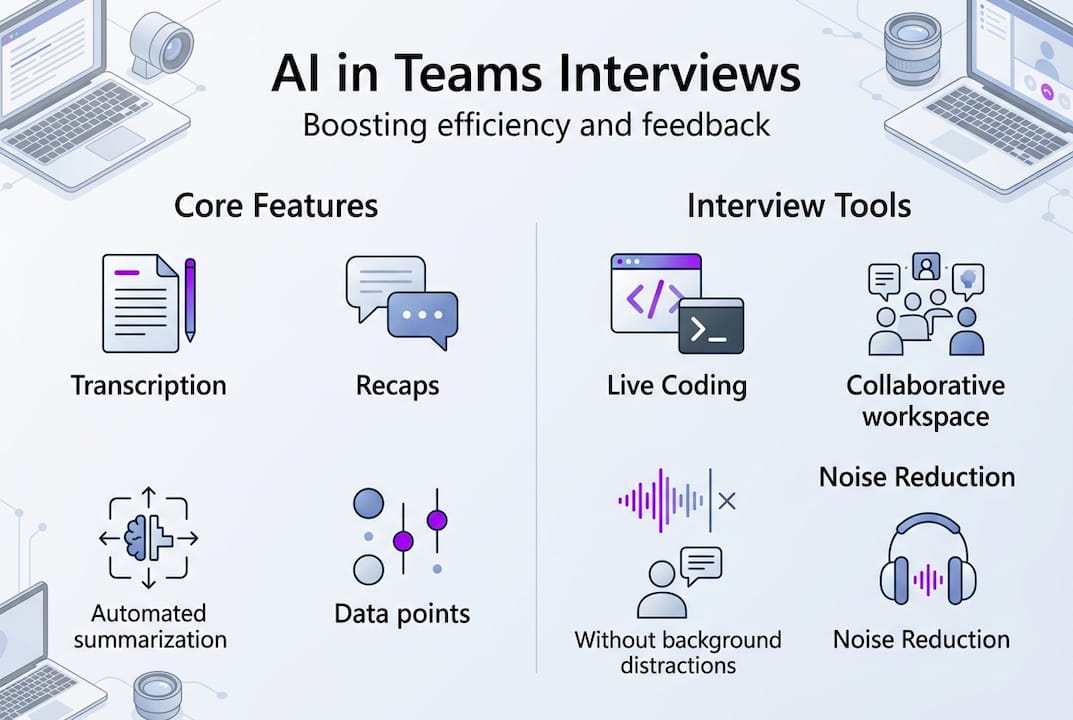
Understanding the mechanics helps you use these tools with intention rather than just hoping they work. Copilot uses ML for transcription, noise suppression, chat summarization, and intelligent recaps, saving hours per event. Each of these has a direct application for interview scenarios.
Transcription and intelligent recaps capture everything said during a session and organize it into structured summaries with next steps. Run a mock interview in Teams, and you get a timestamped record of every question and answer without lifting a pen.
ML-powered noise and echo reduction matters more than people expect. A shaky audio environment during a high-stakes technical screen can cost you points before you even answer the first question. Teams handles this automatically.
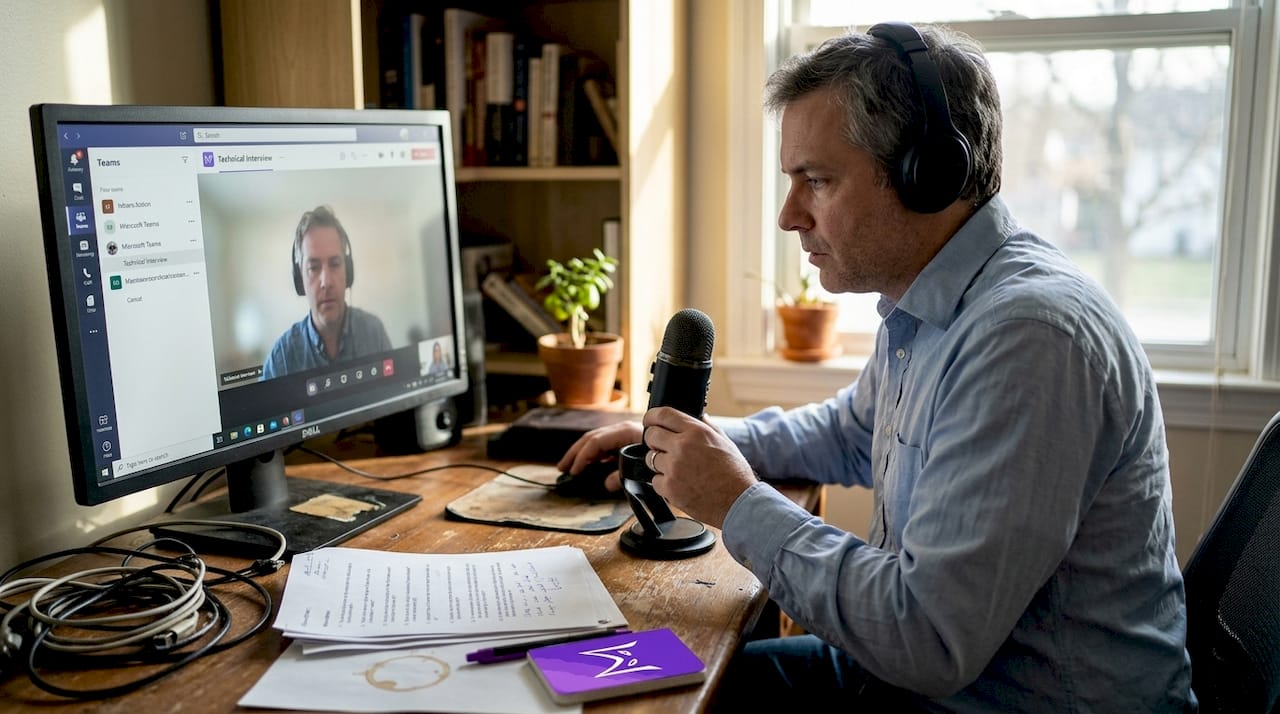
Live code collaboration is where things get genuinely interesting for technical candidates. The Teams Live Code Interview sample app enables real-time collaborative coding directly inside a meeting, with no software installation required on the candidate side.
Here is how the features stack up across use cases:
| Feature | Standard meeting use | Technical interview use |
|---|---|---|
| Transcription | Meeting minutes | Full Q&A record for review |
| Intelligent recap | Action items | Skill gap identification |
| Noise suppression | Office background noise | Home environment cleanup |
| Live code tools | Team collaboration | Real-time coding assessment |
| Chat summarization | Thread catch-up | Post-interview debrief |
For step-by-step interview prep, pairing these features with a structured practice schedule gives you a feedback loop that most candidates never build. And if you want to feel more grounded going into a session, the confident interview prep steps guide walks through the mindset side of the equation.
Pro Tip: After each mock interview in Teams, pull the AI recap and look for questions where your answers ran long or lacked structure. Those are your highest-priority areas to drill before the real thing.
Practical uses for job seekers and technical professionals
Knowing the features is one thing. Putting them to work is another. Here is a concrete workflow you can start using this week.
- Schedule a mock interview in Teams. Invite a friend, mentor, or even run a solo session with a prepared question list. Enable Copilot before the call starts.
- Activate intelligent recap. This runs automatically once Copilot is on. It will capture questions, answers, and any action items you flag during the session.
- Use the Code by Vivani app for coding practice. This Teams app supports real-time collaborative code interviews with no install required on your end, which mirrors the actual conditions of most technical screens.
- Review the recap immediately after. Look for patterns: vague answers, missed follow-ups, or topics where you stalled.
- Build a targeted drill list. Use the recap output to create a focused practice agenda for your next session.
Teams apps like Code by Vivani support real-time collaborative code interviews with no installation required, which is a significant advantage when you want to simulate actual assessment conditions without setting up a separate environment.
For candidates preparing for algorithm-heavy roles, pairing this with a technical skill assessments guide gives you a clearer picture of what interviewers are actually evaluating. If you are preparing remotely, the remote interview assistance guide covers the logistics of making your setup look and sound professional.
You can also explore how using ChatGPT in interviews compares to Teams-native tools when you want to layer additional AI support into your prep.
Each user can save up to 10 hours per technical event through AI-driven preparation and automated recap analysis.
Pro Tip: Run at least three mock sessions before any real interview. Use the recap from each one to track whether your weak spots are actually improving or just shifting.
Caveats, challenges, and common misconceptions
No tool is perfect, and Teams AI has real limitations worth knowing before you build your entire prep strategy around it.
Key limitations to keep in mind:
- Hallucinations are real. AI can hallucinate and produce confident-sounding but incorrect summaries. Always review recaps against your own memory.
- Incomplete summaries. Complex technical discussions sometimes get flattened into oversimplified recaps. Do not treat the AI output as a complete record.
- No direct system actions. Copilot cannot schedule follow-ups, send emails, or take actions outside the Teams environment without manual steps.
- Learning curve. Outputs depend heavily on prompt quality and data hygiene, with a typical onboarding curve of around 12 weeks before users see consistent results.
- Prompt engineering matters. Vague prompts produce vague outputs. The more specific your instructions, the more useful the recap.
On the ethical side, it is worth being direct: using AI to prep is smart and legitimate. Using real-time AI assistance during a live interview is a different matter entirely. Detection risks are real, and the AI cheating tools discussion on Reddit reflects how quickly this can backfire. For a full breakdown of what is safe and what is not, the AI interview privacy details guide covers the landscape clearly.
The best results come from treating AI as a thinking partner, not a replacement for your own judgment. Human review of every AI output is non-negotiable in high-stakes scenarios.
ROI, business impact, and user experiences
The numbers behind Teams AI adoption are hard to ignore, especially when you translate them from enterprise metrics into individual career terms.
| Metric | Self-reported | Empirical/Forrester |
|---|---|---|
| Time saved per meeting | 14 minutes average | Verified across user base |
| Annual hours saved | 38 to 63 hours | Benchmark confirmed |
| ROI range | High satisfaction | 122 to 408% |
| Net present value | Varies by org size | $29M to $98M range |
| Top user praise | Recap accuracy | Time savings on follow-ups |
| Top frustration | Advanced feature limits | Hallucination risk |
14 minutes saved per meeting adds up fast. Across a month of mock interviews and prep sessions, that is hours returned to actual skill-building.
For individual job seekers, the ROI story is less about dollar figures and more about compounding practice quality. Every hour you save on logistics is an hour you can spend drilling weak answers, studying system design, or running another mock session. The AI impact in technical interviews breakdown shows how this compounds over a job search cycle.
If Teams AI does not fully cover your needs, reviewing AI interview assistant alternatives gives you a side-by-side look at tools built specifically for candidates rather than enterprise teams.
Explore more AI interview solutions
Now that you understand what Teams AI can and cannot do, the next step is finding tools built specifically for interview performance rather than general productivity. MeetAssist is a Chrome extension that works directly inside Microsoft Teams, Google Meet, and other web-based platforms, generating real-time AI-powered answer suggestions as conversations happen.

With Phone Mode, all AI suggestions and transcripts move to your phone after a quick QR scan, so nothing appears on your computer screen during a session. You can also remotely capture and analyze any active Chrome tab from your phone, including live coding challenges and technical assessments. Explore the full range of AI AI interview assistant alternatives or browse the MeetAssist guides to see how it fits into your prep workflow.
Frequently asked questions
How does AI in Teams help with technical interview prep?
Recaps and Live Share enable post-mock analysis and real-time coding simulations, giving you structured feedback and a replayable record of every practice session without any manual note-taking.
What are the main limitations of Teams AI for interviews?
Teams AI can hallucinate and requires strong prompt hygiene to produce reliable outputs. Expect a learning curve of around 12 weeks and always review AI-generated recaps against your own recollection.
Is Teams AI a reliable time-saver?
Yes. Benchmarks show 38 to 63 hours saved per year in meetings, plus measurable gains in email and document handling that free up more time for focused interview preparation guides.
Can using AI give me an unfair advantage in interviews?
Using AI for preparation is completely ethical and widely practiced. Real-time assistance during a live interview is a different story: AI cheating tools are detectable and carry serious professional risks.
How do I get started with Teams AI for interviews?
Schedule a mock session in Teams, activate Copilot for automatic recaps, and add a collaborative code interview app for technical practice. Review the recap immediately after each session to build a targeted improvement list.
Recommended
- How to use AI in interviews for job success in 2026 | MeetAssist
- AI for Google Meet: boost your interview game in 2026 – MeetAssist | MeetAssist
- Confident Interview Preparation Steps for Technical Success – MeetAssist | MeetAssist
- AI-powered interview guidance: confidence boost for 2026 – MeetAssist | MeetAssist